
Description
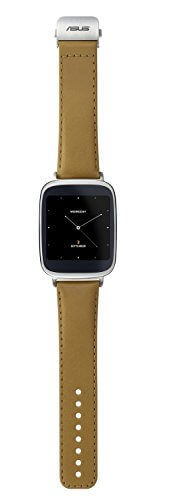
ASUS Zen Watch – Compatible with Android 4.3 Devices
The ZenWatch is compatible with all smartphones running Android 4.3 or higher, enabling users to view incoming calls, messages, notifications and other important information on the device. When paired with the ASUS ZenWatch Manager smartphone app, ZenWatch provides enhanced smartphone integration including Watch Unlock, Tap Tap, Cover to Mute and Find My Phone.
Watch Unlock turns ZenWatch into a universal key that lets users quickly unlock their phone or tablet simply by touching the watch face. Watch Unlock provides a balance between security and convenience by helping users protect their personal information, without always having to type a password or PIN into their device. Tap Tap enables users to assign a favourite ZenWatch function that can be triggered simply by double-tapping the watch face.
Cover to Mute lets users easily mute an incoming call by placing their hand over the face of ZenWatch, helping them avoid situations where a ringtone would disturb others. Cover to Mute can also be used to silence alarms. Find My Phone helps users find their phone when it is misplaced by ringing it remotely. Alternatively, Asus ZenWatch Manager on the smartphone can be used to find a misplaced ZenWatch by making it vibrate and flash.
Other ZenWatch Manager features include the ability to configure each ASUS watch face on the phone (it comes with several) as well as other advanced features, including ASUS ZenUI integration (on ASUS smartphones). This delivers wearable optimised versions of exclusive Asus ZenUI apps such as What’s Next and Do It Later.
ASUS ZenUI What’s Next is a schedule manager that displays the next important task or event such as appointments (including time and location changes, and cancellations), weather updates, and birthday and anniversary reminders for important contacts. ASUS ZenUI Do It Later reminds users of items on their to-do list. New email, text message, and missed call notifications are also seamlessly integrated with Do It Later.
Two additional features, Remote Camera and Presentation Control are available by using ZenWatch with the ASUS Remote Camera and Remote Link smartphone apps. All these apps are available for download in the Google Play Store.
Remote Camera displays the paired smartphone’s camera viewfinder remotely on ZenWatch, while Presentation Control enables ZenWatch to be used as a remote control and time manager when giving a business presentation or lecture. Users can move between slides, keep track of their progress, and keep an eye on the elapsed time from the device.
ZenWatch also acts as a personal wellness manager that tracks a variety of wellness statistics, such as heart rate, step counts, and relaxation levels. While users wear ZenWatch throughout the day, the Wellness app generates a combination of stats including steps taken, calories burned, activity duration, heart rate, exercise intensity and relaxation level.Users can set activity goals – such as a target number of steps to take in a day – and then monitor these goals on ZenWatch as well as in the Wellness app.